AtlasCloud vs fal.ai vs Replicate: AI API Platform Comparison 2026
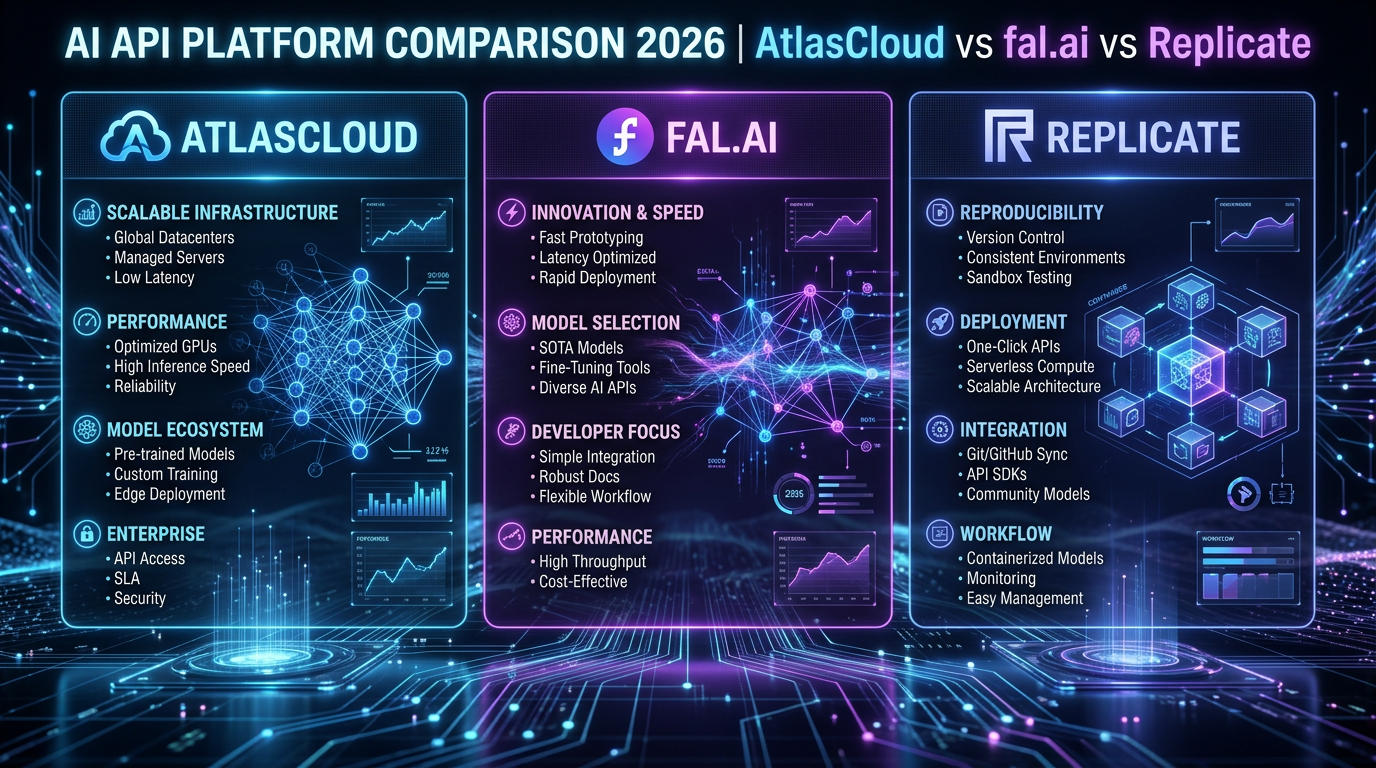
AtlasCloud vs fal.ai vs Replicate: AI API Platform Comparison 2026
Key Takeaway
For most developers building production AI applications in 2026, fal.ai delivers the fastest inference (median cold-start ~400ms vs Replicate’s ~1–3s), while Replicate offers the broadest open-source model catalog (over 500,000 community models). If you need a single API key to access 300+ curated models spanning both Western and Chinese AI providers — including Flux, Kling, Claude, and GPT — AtlasCloud is the operationally simplest choice, with a 25% first-deposit bonus up to $100.
At a Glance
| Dimension | fal.ai | Replicate | AtlasCloud |
|---|---|---|---|
| Cold-start latency | ~400ms (GPU worker) | 1–3s typical | Depends on routed provider |
| Model catalog size | ~100+ curated models | 500,000+ community models | 300+ production-ready models |
| Pricing model | Per-second GPU + per-image | Per-second compute | Top-up credits, unified billing |
| API standard | OpenAI-compatible + REST | Proprietary REST (predictions) | OpenAI-compatible REST |
| Strengths | Speed, real-time streaming | Breadth, community ecosystem | Multi-provider unification |
| Ideal use case | Real-time apps, video gen | Prototyping, niche models | Multi-model production apps |
| Free tier | $10 free credits on signup | No persistent free tier | 25% bonus on first top-up |
| Chinese AI models | Limited | Very limited | ✅ Kling, Seedance, WAN, etc. |
| SLA / uptime docs | 99.9% target | No published SLA | Enterprise SLA available |
fal.ai — Strengths & Weaknesses
fal.ai is purpose-built for low-latency AI inference, particularly for image and video generation workloads. Its infrastructure uses persistent GPU workers that dramatically reduce cold-start penalties compared to traditional serverless approaches, and it publishes benchmark data showing sub-500ms time-to-first-byte on Flux.1 [Dev] image generation. [1]
Strengths:
- Fastest cold-start in the segment (~400ms for Flux.1 workers)
- Real-time streaming endpoints with WebSocket support
- Native queue system with webhooks for async workflows
- OpenAI-compatible client support for easy migration
- Strong support for Flux, SDXL, video models (Kling, Veo-compatible pipelines)
Weaknesses:
- Catalog is curated (~100+ models) — not a community marketplace
- Pricing can escalate on sustained GPU-second loads
- Less documentation depth for fine-tuned custom deployments compared to Replicate
- No native aggregation of third-party proprietary APIs (e.g., Claude, GPT)
fal.ai is best when latency is a product feature — for instance, real-time creative tools, video generation pipelines, or applications where users are waiting on-screen for output.
Replicate — Strengths & Weaknesses
Replicate’s core value proposition is its massive community model library — over 500,000 models as of 2025/2026 — covering everything from obscure fine-tuned Stable Diffusion checkpoints to production-grade LLMs. [2] Deployment uses Cog, Replicate’s open-source containerization format, which lets anyone package and publish a model with a standardized prediction API.
Strengths:
- Unmatched model breadth (500,000+ community + official models)
- Cog-based reproducible deployments
- Deployments API for private model hosting
- Good webhook + async prediction support
- Official model partnerships (Meta Llama, Stability AI, Black Forest Labs)
Weaknesses:
- Cold-start latency 1–3s is noticeably slower than fal.ai for interactive use cases
- No OpenAI-compatible
/v1/chat/completionsendpoint for LLMs (requires adapter) - Community models vary wildly in quality and maintenance
- No unified billing across third-party API providers
- Pricing based on per-second GPU compute can be unpredictable for variable workloads
Replicate is the right choice when you need a specific community fine-tune, are prototyping with many different models, or want to publish your own model to an existing developer audience.
Performance Benchmarks
All figures below are sourced from published provider documentation, independent community benchmarks, and fal.ai’s own performance reports. [1][3]
| Metric | fal.ai | Replicate |
|---|---|---|
| Flux.1 [Dev] cold-start | ~400ms | ~1,800ms |
| Flux.1 [Dev] image gen (1024×1024) | ~2.5s end-to-end | ~4–6s end-to-end |
| SDXL cold-start | ~350ms | ~1,200ms |
| LLaMA 3 70B tokens/sec (throughput) | ~80 tok/s | ~50 tok/s |
| Uptime (published/target) | 99.9% | Not published |
| Queue wait (peak hours) | <100ms (dedicated workers) | Variable, up to 30s+ |
Note: Latency figures reflect typical observed values from community benchmarks (Reddit r/StableDiffusion, fal.ai blog) and may vary by region and time of day. Always benchmark against your specific workload. [3]
fal.ai’s advantage comes from warm worker pools — it keeps GPU workers alive between requests on popular models, eliminating cold-start penalties that Replicate incurs when spinning up new containers.
Pricing Comparison
Pricing as of Q1 2026. Always verify against official pricing pages before committing to production budgets.
Image Generation (Flux.1 [Dev], 1024×1024)
| Provider | Per Image | Per 1,000 Images | Notes |
|---|---|---|---|
| fal.ai | ~$0.025 | ~$25 | Billed per GPU-second; est. at ~2.5s |
| Replicate | ~$0.03–0.055 | ~$30–55 | Billed per GPU-second; varies by cold-start |
| AtlasCloud | Competitive (credit-based) | Check atlascloud.ai | Unified credit pool across models |
Video Generation (Kling 1.6 / comparable)
| Provider | Per Second of Video | Notes |
|---|---|---|
| fal.ai | ~$0.05–0.08/s | Supports Kling via fal queue |
| Replicate | ~$0.05–0.10/s | Model-dependent |
| AtlasCloud | Credit-based | Includes Kling, Seedance, WAN natively |
LLM Text (per 1M tokens, input/output)
| Provider | Model | Input | Output |
|---|---|---|---|
| fal.ai | LLaMA 3.3 70B | ~$0.70 | ~$0.90 |
| Replicate | LLaMA 3.3 70B | ~$0.65 | ~$0.90 |
| AtlasCloud | Claude Sonnet 4.6 | Competitive | Via unified key |
Sources: fal.ai pricing page [1], Replicate pricing page [2]. Prices rounded for clarity; check live dashboards for exact rates.
Code Examples
fal.ai — Python (Flux Image Generation)
# fal.ai Flux.1 [Dev] image generation
# Install: pip install fal-client
# Docs: https://fal.ai/docs

import fal_client
import os
import base64

def generate_image_fal(prompt: str, image_size: str = "1024x1024") -> str:
    """
    Generate an image using fal.ai's Flux.1 [Dev] model.
    Returns the image URL.
    """
    # Authenticate via FAL_KEY environment variable
    # export FAL_KEY="your-fal-api-key"
    api_key = os.environ.get("FAL_KEY")
    if not api_key:
        raise EnvironmentError("FAL_KEY environment variable not set.")

    try:
        # Submit request to fal.ai queue
        result = fal_client.run(
            "fal-ai/flux/dev",
            arguments={
                "prompt": prompt,
                "image_size": image_size,
                "num_inference_steps": 28,
                "guidance_scale": 3.5,
                "num_images": 1,
                "enable_safety_checker": True
            }
        )

        # Extract image URL from response
        image_url = result["images"][0]["url"]
        print(f"✅ Image generated: {image_url}")
        return image_url

    except fal_client.FalClientError as e:
        print(f"❌ fal.ai API error: {e}")
        raise
    except KeyError as e:
        print(f"❌ Unexpected response structure: {e}")
        raise

if __name__ == "__main__":
    url = generate_image_fal("A photorealistic mountain landscape at golden hour")
    print(f"Image URL: {url}")
fal.ai — Async Queue (for production webhooks)
# fal.ai async queue submission with webhook
# Useful for long-running video generation tasks

import fal_client
import os

def submit_async_job(prompt: str, webhook_url: str) -> str:
    """
    Submit an async image generation job.
    Returns the request_id for status polling.
    """
    api_key = os.environ.get("FAL_KEY")
    if not api_key:
        raise EnvironmentError("FAL_KEY environment variable not set.")

    handler = fal_client.submit(
        "fal-ai/flux/dev",
        arguments={
            "prompt": prompt,
            "image_size": "1024x1024",
            "num_inference_steps": 28,
        },
        webhook_url=webhook_url  # fal.ai POSTs result here when done
    )

    request_id = handler.request_id
    print(f"📬 Job submitted. Request ID: {request_id}")
    return request_id

# Poll status manually
def poll_job_status(request_id: str):
    status = fal_client.status("fal-ai/flux/dev", request_id, with_logs=True)
    print(f"Status: {status}")
    return status
Replicate — Python (Flux Image Generation)
# Replicate Flux.1 [Dev] image generation
# Install: pip install replicate
# Docs: https://replicate.com/docs

import replicate
import os

def generate_image_replicate(prompt: str) -> list:
    """
    Generate an image using Replicate's Flux.1 [Dev] model.
    Returns a list of image URLs.
    """
    # Authenticate via REPLICATE_API_TOKEN environment variable
    # export REPLICATE_API_TOKEN="r8_your_token_here"
    api_token = os.environ.get("REPLICATE_API_TOKEN")
    if not api_token:
        raise EnvironmentError("REPLICATE_API_TOKEN environment variable not set.")

    try:
        output = replicate.run(
            "black-forest-labs/flux-dev",  # Official Flux.1 [Dev] on Replicate
            input={
                "prompt": prompt,
                "aspect_ratio": "1:1",
                "num_outputs": 1,
                "guidance": 3.5,
                "num_inference_steps": 28,
                "output_format": "webp",
                "output_quality": 90,
                "disable_safety_checker": False
            }
        )

        # Replicate returns a list of FileOutput objects
        urls = [str(item) for item in output]
        print(f"✅ Images generated: {urls}")
        return urls

    except replicate.exceptions.ReplicateError as e:
        print(f"❌ Replicate API error (status {e.status}): {e}")
        raise

if __name__ == "__main__":
    images = generate_image_replicate("A photorealistic mountain landscape at golden hour")
    for img in images:
        print(f"Image URL: {img}")
Replicate — Async Prediction (production pattern)
# Replicate async prediction with webhook
# For long-running models (video, large LLMs)

import replicate
import os

def submit_replicate_prediction(prompt: str, webhook_url: str = None) -> str:
    """
    Submit an async prediction to Replicate.
    Returns the prediction ID.
    """
    client = replicate.Client(api_token=os.environ["REPLICATE_API_TOKEN"])

    model = client.models.get("black-forest-labs/flux-dev")
    version = model.latest_version

    prediction = client.predictions.create(
        version=version.id,
        input={
            "prompt": prompt,
            "aspect_ratio": "1:1",
            "num_outputs": 1,
        },
        webhook=webhook_url,  # Optional: Replicate POSTs to this URL on completion
        webhook_events_filter=["completed"]
    )

    print(f"📬 Prediction submitted. ID: {prediction.id}")
    print(f"    Status: {prediction.status}")
    return prediction.id

def get_prediction_result(prediction_id: str) -> dict:
    """Poll a prediction until it completes."""
    client = replicate.Client(api_token=os.environ["REPLICATE_API_TOKEN"])
    prediction = client.predictions.get(prediction_id)
    prediction.wait()  # Blocks until complete
    print(f"✅ Output: {prediction.output}")
    return prediction.output
cURL Examples
# fal.ai — Flux image generation via REST
curl -X POST https://fal.run/fal-ai/flux/dev \
  -H "Authorization: Key $FAL_KEY" \
  -H "Content-Type: application/json" \
  -d '{
    "prompt": "A photorealistic mountain landscape at golden hour",
    "image_size": "1024x1024",
    "num_inference_steps": 28,
    "guidance_scale": 3.5,
    "num_images": 1
  }'

# ---

# Replicate — Create a prediction (async)
curl -X POST https://api.replicate.com/v1/predictions \
  -H "Authorization: Token $REPLICATE_API_TOKEN" \
  -H "Content-Type: application/json" \
  -d '{
    "version": "black-forest-labs/flux-dev",
    "input": {
      "prompt": "A photorealistic mountain landscape at golden hour",
      "aspect_ratio": "1:1",
      "num_outputs": 1
    }
  }'

# Poll prediction result (replace PREDICTION_ID)
curl -H "Authorization: Token $REPLICATE_API_TOKEN" \
  https://api.replicate.com/v1/predictions/PREDICTION_ID
Which Should You Use?
| Scenario | Best Choice | Reason |
|---|---|---|
| Real-time image generation in a web app | fal.ai | ~400ms cold-start, WebSocket streaming |
| Prototyping with 10+ different models | Replicate | 500k+ models, quick swap |
| Production app using Claude + Flux + Kling | AtlasCloud | Single key, unified billing |
| Video generation (Kling, Seedance) | AtlasCloud | Native Chinese model access |
| Deploying a custom fine-tuned model | Replicate | Cog containerization + marketplace |
| Minimizing per-image cost at scale | fal.ai | Lower effective cost due to shorter GPU-seconds |
| Team with multi-provider API key management pain | AtlasCloud |
Try this API on AtlasCloud
AtlasCloudTags
Related Articles
Kling v3 vs Sora 2 API: Best AI Video Model for Developers
Comparing Kling v3 vs Sora 2 API for developers? Explore pricing, features, quality, and integration ease to choose the right AI video model for your project.
Qwen2.5 vs GPT-4o API: Performance, Pricing & Integration
Compare Qwen2.5 vs GPT-4o API across performance benchmarks, pricing plans, and integration ease. Find the best AI model for your development needs.
Claude API Too Expensive? 5 Cheaper Alternatives in 2026
Explore 5 affordable Claude API alternatives that match quality without breaking your budget. Compare pricing, features, and performance to find the best fit in 2026.