FLUX 1.1 Pro API Python Tutorial: Generate Images Fast
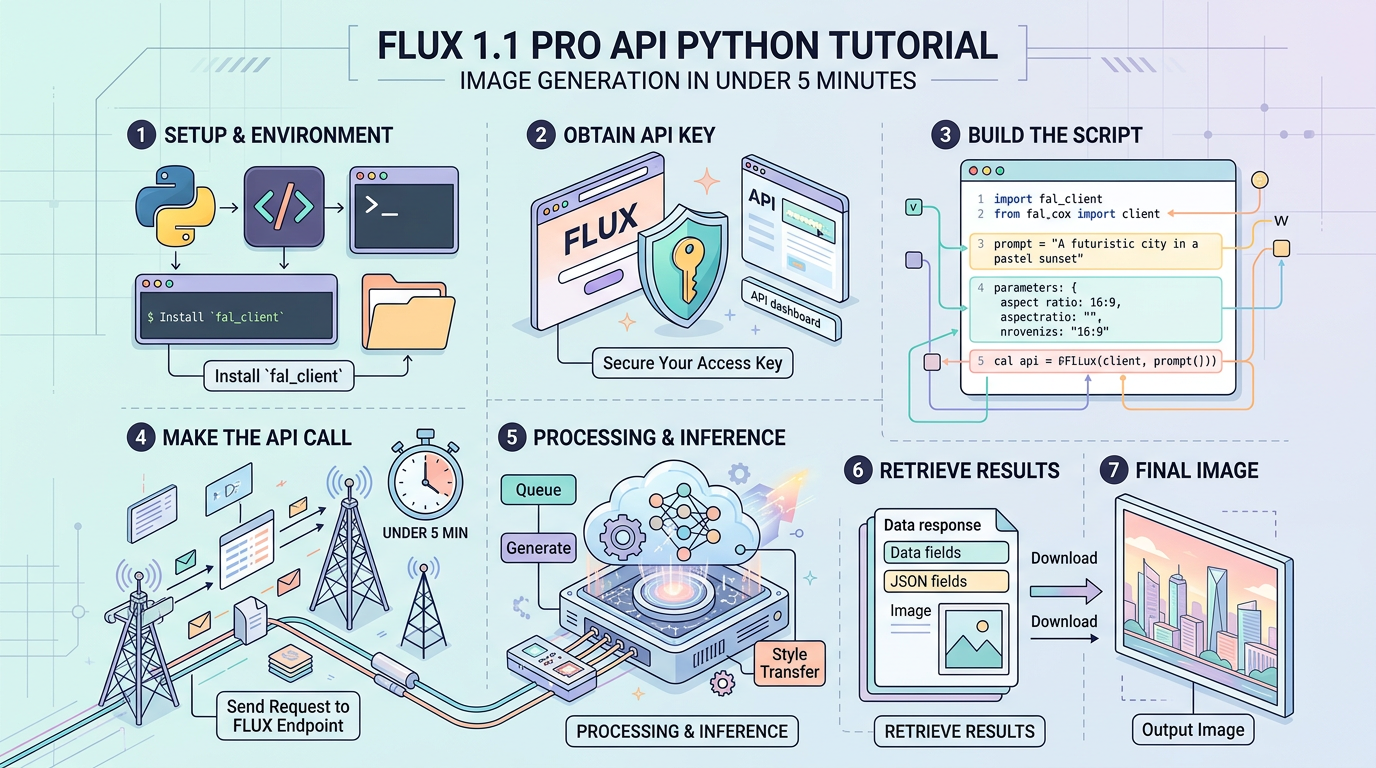
FLUX 1.1 Pro API Python Tutorial: Image Generation in Under 5 Minutes
3 numbers before you read further: FLUX 1.1 Pro generates images in ~8 seconds average latency (6x faster than FLUX 1.0 Pro), costs $0.04 per image at 1MP resolution, and scored 72.6% on the ELO benchmark — outperforming Midjourney v6 and DALL-E 3 on prompt adherence in Black Forest Labs’ internal evaluations.
This tutorial walks you from zero to working image generation code using the FLUX 1.1 Pro API via two routes: the official BFL (Black Forest Labs) endpoint and Replicate. You’ll get copy-paste-ready Python that handles authentication, generation, polling, error recovery, and cost tracking.
Prerequisites
You need three things before writing a single line of code:
1. API Access
Choose one provider (or both — the code handles both):
- Black Forest Labs (BFL) API: Register at api.bfl.ml. Free tier gives you limited credits; paid usage is billed per image.
- Replicate: Register at replicate.com. FLUX 1.1 Pro is available as
black-forest-labs/flux-1.1-pro. $0.04/image.
2. Python Environment
Python 3.8+ required. Create an isolated environment:
python -m venv flux-env
source flux-env/bin/activate  # Windows: flux-env\Scripts\activate

pip install requests pillow python-dotenv replicaterequests: HTTP client for BFL’s REST APIpillow: Save and inspect returned imagespython-dotenv: Keep secrets out of your codereplicate: Official SDK for Replicate’s API
3. Environment File
Create .env in your project root:
BFL_API_KEY=your_bfl_key_here
REPLICATE_API_TOKEN=your_replicate_token_here
Never hardcode API keys. Never commit .env to git — add it to .gitignore now.
API Parameter Reference
Before writing code, know what you’re sending. Both providers accept overlapping parameters.
| Parameter | Type | Default | Valid Range / Options | What It Affects |
|---|---|---|---|---|
prompt | string | required | 1–2048 characters | Primary generation instruction |
width | integer | 1440 | 256–1440 (BFL), 256–1408 (Replicate) | Output image width in pixels |
height | integer | 1440 | 256–1440 (BFL), 256–1408 (Replicate) | Output image height in pixels |
steps | integer | 28 | 1–50 | Denoising steps; more = slower + sharper |
guidance | float | 3.5 | 1.5–5.0 | Prompt adherence vs. creativity trade-off |
safety_tolerance | integer | 2 | 0–6 | Content filter strictness (0 = strictest) |
output_format | string | "jpeg" | "jpeg", "png" | File format; PNG adds ~30% size, preserves transparency |
seed | integer | random | any int | Set for reproducible outputs |
prompt_upsampling | boolean | false | true / false | BFL internal prompt expansion — adds variance |
aspect_ratio | string | "1:1" | "1:1", "16:9", "4:3", "3:4", etc. | Replicate-specific shorthand for dimensions |
Note on guidance: Values below 2.0 give the model more creative freedom but reduce prompt accuracy. Above 4.5, you get diminishing returns and occasional artifacts. 3.5 is the documented sweet spot.
Authentication and Setup
FLUX 1.1 Pro’s BFL endpoint uses a synchronous request/poll pattern — you POST a job, receive a task ID, then poll until the image is ready. Replicate uses a similar async pattern but wraps it in their SDK.
# flux_setup.py
# Verify your credentials work before building anything else.
# Run this file first — if it prints your key prefix, you're good.

import os
import requests
from dotenv import load_dotenv

# Load .env from current directory
load_dotenv()

BFL_API_KEY = os.getenv("BFL_API_KEY")
REPLICATE_API_TOKEN = os.getenv("REPLICATE_API_TOKEN")

# BFL base URL — this is the v1 production endpoint as of 2024
BFL_BASE_URL = "https://api.bfl.ml/v1"

def verify_bfl_auth():
    """
    BFL doesn't have a dedicated /me endpoint.
    We verify by hitting the models list endpoint — 401 = bad key.
    """
    headers = {"X-Key": BFL_API_KEY}

    # /flux-pro-1.1 is the correct model slug for FLUX 1.1 Pro
    # A malformed request returns 422, not 401 — that means auth passed
    response = requests.post(
        f"{BFL_BASE_URL}/flux-pro-1.1",
        headers=headers,
        json={"prompt": "test"},  # Intentionally minimal to trigger fast validation
        timeout=10
    )

    if response.status_code == 401:
        raise ValueError("BFL_API_KEY is invalid or expired")
    elif response.status_code in (200, 422):
        # 422 = request schema error, but auth succeeded
        print(f"BFL auth OK — key prefix: {BFL_API_KEY[:8]}...")
        return True
    else:
        print(f"Unexpected status {response.status_code}: {response.text}")
        return False

def verify_replicate_auth():
    """
    Replicate SDK raises replicate.exceptions.ReplicateError on bad tokens.
    """
    import replicate
    os.environ["REPLICATE_API_TOKEN"] = REPLICATE_API_TOKEN

    try:
        # account() is a lightweight call that validates the token
        account = replicate.account.current()
        print(f"Replicate auth OK — username: {account.username}")
        return True
    except Exception as e:
        print(f"Replicate auth failed: {e}")
        return False

if __name__ == "__main__":
    if BFL_API_KEY:
        verify_bfl_auth()
    else:
        print("BFL_API_KEY not set — skipping")

    if REPLICATE_API_TOKEN:
        verify_replicate_auth()
    else:
        print("REPLICATE_API_TOKEN not set — skipping")
Run this before anything else: python flux_setup.py
Core Implementation
Basic: Single Image Generation (BFL Endpoint)
The BFL API is a two-step process. POST the job, then GET the result by polling.
# flux_basic.py
# Generates one image using the BFL REST API directly.
# No SDK dependency — useful when you want full control over the HTTP layer.

import os
import time
import requests
from pathlib import Path
from dotenv import load_dotenv

load_dotenv()

BFL_API_KEY = os.getenv("BFL_API_KEY")
BFL_BASE_URL = "https://api.bfl.ml/v1"

def generate_image_bfl(
    prompt: str,
    width: int = 1024,
    height: int = 1024,
    guidance: float = 3.5,
    steps: int = 28,
    seed: int = None,
    output_path: str = "output.jpg"
) -> str:
    """
    Submit a generation job to BFL and poll until complete.
    Returns the local file path of the saved image.

    Typical wait time: 8–15 seconds depending on server load.
    """

    headers = {
        "X-Key": BFL_API_KEY,
        "Content-Type": "application/json"
    }

    # Build payload — only include seed if explicitly set
    # Omitting seed means every run produces a different image
    payload = {
        "prompt": prompt,
        "width": width,
        "height": height,
        "guidance": guidance,
        "steps": steps,
        "output_format": "jpeg",
        "safety_tolerance": 2,  # Default: blocks explicit content, allows most creative work
    }

    if seed is not None:
        payload["seed"] = seed

    # Step 1: Submit the job
    print(f"Submitting job for prompt: '{prompt[:60]}...'")
    response = requests.post(
        f"{BFL_BASE_URL}/flux-pro-1.1",
        headers=headers,
        json=payload,
        timeout=30
    )
    response.raise_for_status()

    job_data = response.json()
    task_id = job_data.get("id")

    if not task_id:
        raise ValueError(f"No task ID in response: {job_data}")

    print(f"Job submitted. Task ID: {task_id}")

    # Step 2: Poll for completion
    # BFL recommends polling every 500ms. More frequent = no benefit, may rate-limit.
    poll_url = f"{BFL_BASE_URL}/get_result"
    max_attempts = 60  # 60 * 0.5s = 30s max wait

    for attempt in range(max_attempts):
        time.sleep(0.5)

        result_response = requests.get(
            poll_url,
            headers=headers,
            params={"id": task_id},
            timeout=10
        )
        result_response.raise_for_status()
        result = result_response.json()

        status = result.get("status")

        if status == "Ready":
            # Image URL is temporary — download immediately, it expires
            image_url = result["result"]["sample"]
            print(f"Generation complete after {(attempt + 1) * 0.5:.1f}s")

            # Download the image
            img_response = requests.get(image_url, timeout=30)
            img_response.raise_for_status()

            Path(output_path).write_bytes(img_response.content)
            print(f"Image saved to: {output_path}")
            return output_path

        elif status in ("Error", "Failed"):
            raise RuntimeError(f"Generation failed: {result.get('result', 'Unknown error')}")

        elif status in ("Pending", "Processing"):
            # Normal — keep waiting
            if attempt % 10 == 0:  # Print progress every 5 seconds
                print(f"  Status: {status} ({(attempt + 1) * 0.5:.1f}s elapsed)")
        else:
            print(f"  Unknown status '{status}' — continuing to poll")

    raise TimeoutError(f"Job {task_id} did not complete within 30 seconds")


if __name__ == "__main__":
    path = generate_image_bfl(
        prompt="A detailed close-up of a mechanical watch movement, macro photography, studio lighting, sharp focus on gears",
        width=1024,
        height=1024,
        seed=42,  # Fixed seed for reproducibility while testing
        output_path="watch_movement.jpg"
    )
    print(f"Done: {path}")
Intermediate: Replicate SDK with Batch Processing
Replicate’s SDK handles polling internally, which simplifies batch generation.
# flux_replicate.py
# Uses the official Replicate SDK.
# Preferred when: you want async, you're already on Replicate, or you want webhooks.

import os
import replicate
import requests
from pathlib import Path
from dotenv import load_dotenv
from concurrent.futures import ThreadPoolExecutor, as_completed

load_dotenv()

# Replicate SDK reads this env var automatically
os.environ["REPLICATE_API_TOKEN"] = os.getenv("REPLICATE_API_TOKEN", "")

# Model identifier — pin to specific version in production to avoid breaking changes
FLUX_MODEL = "black-forest-labs/flux-1.1-pro"

def generate_single_replicate(
    prompt: str,
    aspect_ratio: str = "1:1",
    output_format: str = "jpeg",
    output_quality: int = 80,
    seed: int = None,
    output_path: str = "output.jpg"
) -> str:
    """
    Single image generation via Replicate.
    Replicate's SDK blocks until the prediction completes — no manual polling needed.
    """

    inputs = {
        "prompt": prompt,
        "aspect_ratio": aspect_ratio,
        "output_format": output_format,
        "output_quality": output_quality,  # JPEG quality 1–100; 80 is a good size/quality balance
        "safety_tolerance": 2,
        "prompt_upsampling": False,  # Disable for predictable outputs; enable for creative exploration
    }

    if seed is not None:
        inputs["seed"] = seed

    output = replicate.run(FLUX_MODEL, input=inputs)

    # Replicate returns a FileOutput object (or URL string depending on SDK version)
    # Handle both cases
    if hasattr(output, 'url


> **Note:** If you're integrating multiple AI models into one pipeline, [AtlasCloud](https://www.atlascloud.ai?ref=JPM683) provides unified API access to 300+ models including Kling, Flux, Seedance, Claude, and GPT — one API key, no per-provider setup. New users get a 25% credit bonus on first top-up (up to $100).
Try this API on AtlasCloud
AtlasCloudFrequently Asked Questions
How much does FLUX 1.1 Pro API cost per image and how does pricing compare between BFL and Replicate?
FLUX 1.1 Pro costs $0.04 per image at 1MP resolution on the Black Forest Labs (BFL) direct API at api.bfl.ml. Replicate also offers FLUX 1.1 Pro access with per-image billing that may vary slightly based on resolution and compute time. At $0.04/image, generating 1,000 images costs $40, making it significantly more cost-efficient than many competitors. BFL offers a free tier with limited credits fo
What is FLUX 1.1 Pro API latency and how fast does it generate images compared to the previous version?
FLUX 1.1 Pro achieves an average latency of approximately 8 seconds per image generation, which is 6x faster than FLUX 1.0 Pro. This speed improvement is critical for production applications requiring near-real-time generation. Because the BFL API uses an asynchronous polling model rather than a synchronous response, your Python code must implement a polling loop — typically checking every 1-2 sec
How does FLUX 1.1 Pro benchmark score compare to Midjourney v6 and DALL-E 3?
FLUX 1.1 Pro scored 72.6% on the ELO benchmark in Black Forest Labs' internal evaluations, outperforming both Midjourney v6 and DALL-E 3 specifically on prompt adherence metrics. ELO benchmarks measure head-to-head preference rates where human evaluators choose between outputs — a 72.6% ELO score indicates FLUX 1.1 Pro was preferred in roughly 72.6% of direct comparisons. This makes it particularl
What Python code structure is needed to handle FLUX 1.1 Pro API authentication, polling, and error recovery?
The FLUX 1.1 Pro BFL API requires a Bearer token passed in the Authorization header — set your BFL_API_KEY environment variable and load it via os.environ.get('BFL_API_KEY') to avoid hardcoding credentials. The generation workflow has two steps: (1) POST to the generation endpoint to receive a job ID, then (2) poll a status endpoint every 1-2 seconds until status returns 'Ready' with an image URL.
Tags
Related Articles
How to Use Flux Kontext API in Python
A comprehensive guide to How to Use Flux Kontext API in Python
Kling v3 API Python Tutorial: Complete Guide 2026
Learn how to use the Kling v3 API with Python in this complete 2026 tutorial. Step-by-step code examples, authentication, and best practices included.
Getting Started with AI Image Generation APIs: DALL-E 3, Midjourney, and Stable Diffusion
A practical tutorial on integrating AI image generation APIs into your applications. Learn to use DALL-E 3, Midjourney, and Stable Diffusion APIs with code examples and best practices.