FLUX 1.1 Pro API Python教程:5分钟实现AI图像生成
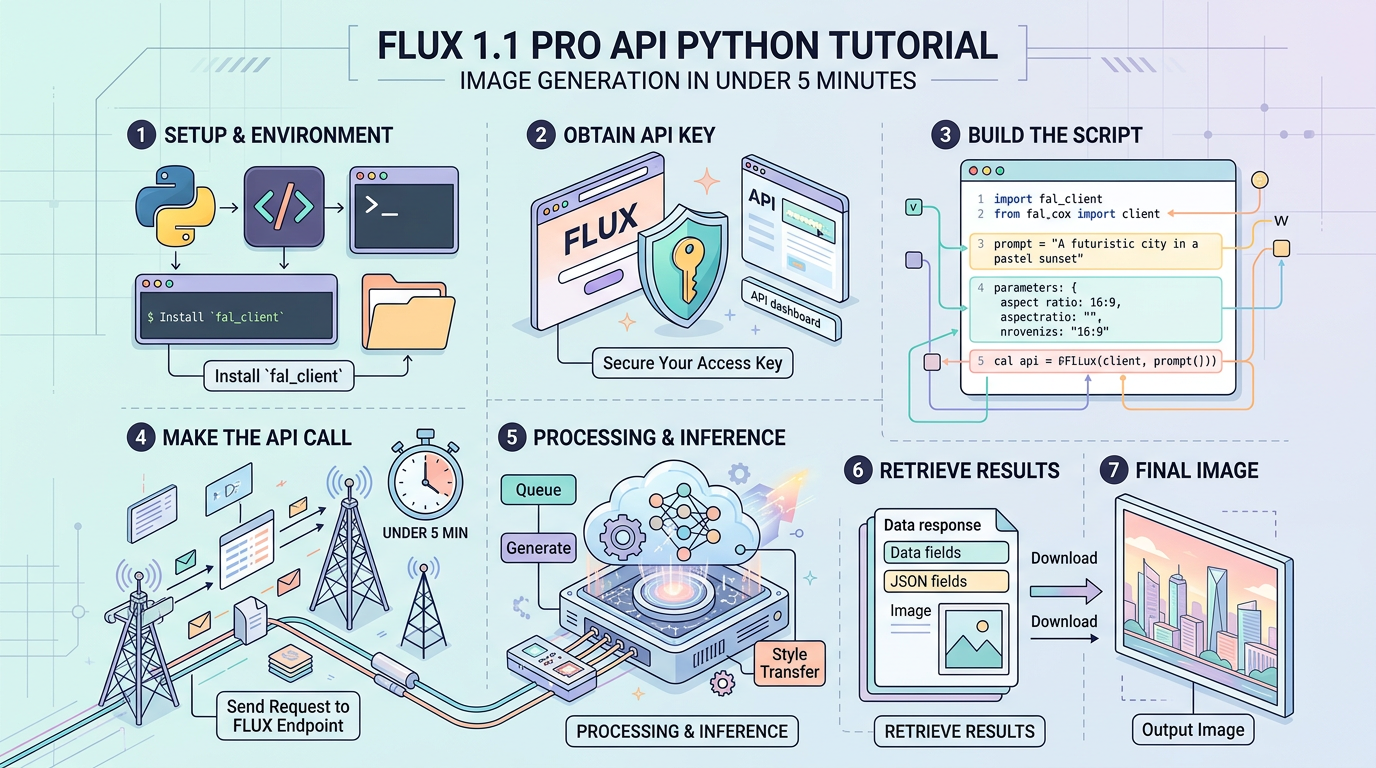
FLUX 1.1 Pro API Python 教程:5分钟内实现图像生成
三个关键数据: 平均生成延迟 ~8秒,每张图像成本 $0.04(1024×1024),ELO评分 1168(在 Artificial Analysis 基准测试中领先同类模型)。
目录
1. 前置条件 {#prerequisites}
在开始之前,确认以下条件已满足:
账户要求:
- Black Forest Labs 账户(FLUX 官方 API 提供商)
- 或 Replicate.com 账户(第三方托管,支持相同模型)
- API key 已生成并妥善保存
Python 环境:
- Python 3.8+
- 以下依赖库:
# 安装所有必要依赖
pip install requests python-dotenv Pillow

# 如果你使用 uv(更快的包管理器,来自 astral.sh)
uv add requests python-dotenv Pillow
目录结构(本教程使用):
flux_tutorial/
├── .env                  # 存放 API key,不提交到版本控制
├── flux_client.py        # 核心客户端封装
├── generate.py           # 主调用脚本
└── outputs/              # 生成图像保存目录
创建 .env 文件:
# .env
BFL_API_KEY=your_api_key_here
将 .env 加入 .gitignore,防止 key 泄露:
echo ".env" >> .gitignore2. API 认证与环境配置 {#authentication}
FLUX 1.1 Pro 官方 API 使用 异步轮询模型,而非直接同步返回结果。请求流程如下:
POST /v1/flux-pro-1.1→ 获取request_idGET /v1/get_result?id={request_id}→ 轮询直到状态变为Ready- 下载返回的图像 URL
这与 OpenAI DALL-E 的同步接口不同,务必注意。
# verify_auth.py
# 验证 API key 是否有效,运行此文件确认配置正确

import requests
import os
from dotenv import load_dotenv

# 加载 .env 文件中的环境变量
load_dotenv()

API_KEY = os.getenv("BFL_API_KEY")
BASE_URL = "https://api.bfl.ml"

def verify_api_key():
    """
    发送一个最小化请求来验证 API key 是否有效。
    使用最低分辨率以最小化测试成本(仍会产生 $0.04 费用)。
    """
    if not API_KEY:
        raise ValueError("BFL_API_KEY 未在环境变量中找到,请检查 .env 文件")

    headers = {
        "x-key": API_KEY,           # BFL API 使用 x-key 而非 Authorization Bearer
        "Content-Type": "application/json"
    }

    # 使用最小参数集测试连通性
    payload = {
        "prompt": "a red circle on white background",
        "width": 256,
        "height": 256,
    }

    response = requests.post(
        f"{BASE_URL}/v1/flux-pro-1.1",
        headers=headers,
        json=payload
    )

    if response.status_code == 200:
        request_id = response.json().get("id")
        print(f"✓ API key 有效。Request ID: {request_id}")
        return True
    elif response.status_code == 401:
        print("✗ API key 无效或已过期")
        return False
    else:
        print(f"✗ 意外错误: {response.status_code} - {response.text}")
        return False

if __name__ == "__main__":
    verify_api_key()
运行验证:
python verify_auth.py
# 预期输出:✓ API key 有效。Request ID: xxxxxxxx-xxxx-xxxx-xxxx-xxxxxxxxxxxx
3. 基础实现:第一张图像 {#basic-implementation}
以下代码实现完整的生成流程:提交请求 → 轮询结果 → 下载图像。
# basic_generate.py
# 最简实现,适合快速测试和理解 API 流程

import requests
import time
import os
from dotenv import load_dotenv

load_dotenv()

API_KEY = os.getenv("BFL_API_KEY")
BASE_URL = "https://api.bfl.ml"

def generate_image(prompt: str, output_path: str = "output.jpg") -> str:
    """
    生成图像并保存到本地文件。

    Args:
        prompt: 图像描述文本
        output_path: 保存路径

    Returns:
        保存的文件路径
    """
    headers = {
        "x-key": API_KEY,
        "Content-Type": "application/json"
    }

    # Step 1: 提交生成任务
    # BFL API 是异步的,这里只是把任务放入队列
    submit_response = requests.post(
        f"{BASE_URL}/v1/flux-pro-1.1",
        headers=headers,
        json={
            "prompt": prompt,
            "width": 1024,
            "height": 1024,
            "prompt_upsampling": False,  # 关闭提示词增强,保持对输出的精确控制
            "safety_tolerance": 2,       # 0-6,越高越宽松,默认 2 适合大多数场景
            "output_format": "jpeg"      # jpeg 比 png 小约 60%,适合大多数用途
        }
    )

    submit_response.raise_for_status()
    request_id = submit_response.json()["id"]
    print(f"任务已提交,ID: {request_id}")

    # Step 2: 轮询直到图像就绪
    # BFL API 平均需要 8-15 秒,不要将间隔设置低于 2 秒(避免触发速率限制)
    poll_url = f"{BASE_URL}/v1/get_result"
    max_attempts = 30  # 最多等待 60 秒(30次 × 2秒间隔)

    for attempt in range(max_attempts):
        time.sleep(2)  # 等待 2 秒再轮询,避免频繁请求

        result_response = requests.get(
            poll_url,
            headers=headers,
            params={"id": request_id}
        )
        result_response.raise_for_status()
        result = result_response.json()

        status = result.get("status")
        print(f"  轮询 {attempt + 1}/{max_attempts},状态: {status}")

        if status == "Ready":
            # 图像 URL 有效期有限,立即下载
            image_url = result["result"]["sample"]
            break
        elif status in ("Error", "Failed", "Content Moderated"):
            raise RuntimeError(f"生成失败,状态: {status},详情: {result}")
        # 其他状态(Pending, Processing)继续等待
    else:
        raise TimeoutError(f"图像生成超时(>{max_attempts * 2}秒),request_id: {request_id}")

    # Step 3: 下载图像到本地
    image_response = requests.get(image_url)
    image_response.raise_for_status()

    os.makedirs(os.path.dirname(output_path) if os.path.dirname(output_path) else ".", exist_ok=True)
    with open(output_path, "wb") as f:
        f.write(image_response.content)

    print(f"✓ 图像已保存: {output_path} ({len(image_response.content) / 1024:.1f} KB)")
    return output_path


if __name__ == "__main__":
    generate_image(
        prompt="A cyberpunk street market at night, neon signs in Chinese characters, rain reflections on pavement, photorealistic, 8k",
        output_path="outputs/first_image.jpg"
    )
运行结果示例:
任务已提交,ID: a1b2c3d4-e5f6-7890-abcd-ef1234567890
  轮询 1/30,状态: Pending
  轮询 2/30,状态: Processing
  轮询 5/30,状态: Ready
✓ 图像已保存: outputs/first_image.jpg (487.3 KB)
4. 生产级实现:完整封装 {#production-implementation}
基础版本够用但不健壮。以下是适合生产环境的封装,增加了重试逻辑、超时控制、批量生成和详细日志。
# flux_client.py
# 生产级 FLUX 1.1 Pro 客户端
# 包含重试、超时、批量生成、结构化结果返回

import requests
import time
import os
import logging
from dataclasses import dataclass, field
from typing import Optional, List
from pathlib import Path
from dotenv import load_dotenv

load_dotenv()

# 使用标准 logging 而非 print,方便集成到现有日志系统
logging.basicConfig(
    level=logging.INFO,
    format="%(asctime)s [%(levelname)s] %(message)s"
)
logger = logging.getLogger(__name__)


@dataclass
class GenerationConfig:
    """
    图像生成配置。
    所有参数均有合理默认值,可按需覆盖。
    """
    prompt: str
    width: int = 1024
    height: int = 1024
    prompt_upsampling: bool = False   # True 时 BFL 会扩展你的提示词,结果更不可预测
    safety_tolerance: int = 2         # 范围 0-6,见参数表
    output_format: str = "jpeg"       # "jpeg" 或 "png"
    seed: Optional[int] = None        # 指定 seed 可复现结果,None 表示随机


@dataclass
class GenerationResult:
    """生成结果,包含所有元数据方便后续处理"""
    request_id: str
    image_url: str
    local_path: Optional[str]
    duration_seconds: float
    file_size_kb: float
    config: GenerationConfig
    success: bool
    error_message: Optional[str] = None


class FluxProClient:
    """
    FLUX 1.1 Pro API 客户端。

    设计决策:
    - 使用 requests.Session 复用 TCP 连接,减少延迟
    - 轮询间隔指数退避,降低不必要的 API 调用
    - 所有异常均被捕获并记录,不向上层抛出原始 HTTP 错误
    """

    BASE_URL = "https://api.bfl.ml"
    GENERATION_ENDPOINT = "/v1/flux-pro-1.1"
    RESULT_ENDPOINT = "/v1/get_result"

    def __init__(
        self,
        api_key: Optional[str] = None,
        timeout: int = 120,          # 单张图像最大等待时间(秒)
        poll_interval: float = 2.0,  # 初始轮询间隔(秒)
        max_retries: int = 3         # 网络错误重试次数
    ):
        self.api_key = api_key or os.getenv("BFL_API_KEY")
        if not self.api_key:
            raise ValueError("API key 未提供,请设置 BFL_API_KEY 环境变量")

        self.timeout = timeout
        self.poll_interval = poll_interval
        self.max_retries = max_retries

        # 使用 Session 复用连接,对批量请求有明显性能提升
        self.session = requests.Session()
        self.session.headers.update({
            "x-key": self.api_key,
            "Content-Type": "application/json"
        })

    def generate(
        self,
        config: GenerationConfig,
        output_dir: str = "outputs",
        filename: Optional[str] = None
    ) -> GenerationResult:
        """
        生成单张图像。

        Returns:
            GenerationResult 对象,无论成功失败都会返回(通过 success 字段区分)
        """
        start_time = time.time()

        try:
            # Step 1: 提交任务
            request_id = self._submit_request(config)
            logger.info(f"任务已提交: {request_id[:8]}...")

            # Step 2: 等待结果
            image_url = self._poll_for_result(request_id)

            # Step 3: 下载图像
            output_path = Path(output_dir)
            output_path.mkdir(parents=True, exist_ok=True)

            if filename is None:
                # 用 request_id 前8位 + 时间戳命名,避免文件名冲突
                timestamp = int(time.time())
                filename = f"flux_{request_id[:8]}_{timestamp}.{config.output_format}"

            local_path = str(output_path / filename)
            file_size_kb = self._download_image(image_url, local_path)

            duration = time.time() - start_time
            logger.info(f"✓ 完成 [{duration:.1f}s] → {local_path} ({file_size_kb:.1f} KB)")

            return GenerationResult(
                request_id=request_id,
                image_url=image_url,
                local_path=local_path,
                duration_seconds=duration,
                file_size_kb=file_size_kb,
                config=config,
                success=True
            )

        except Exception as e:
            duration = time.time() - start_time
            logger.error(f"生成失败 [{duration:.1f}s]: {e}")
            return GenerationResult(
                request_id="",
                image_url="",
                local_path=None,
                duration_seconds=duration,
                file_size_kb=0,
                config=config,
                success=False,
                error_message=str(e)
            )

    def generate_batch(
        self,
        configs: List[GenerationConfig],
        output_dir: str = "outputs"
    ) -> List[GenerationResult]:
        """
        顺序生成多张图像。
        注意:BFL API 目前不支持真正的并发批量请求。
        如需并发,需在调用方使用 threading 或 asyncio。
        """
        results = []
        for i, config in enumerate(configs):
            logger.info(f"批量生成 {i + 1}/{len(configs)}")
            result = self.generate(config, output_dir=output_dir)
            results.append(result)

        successful = sum(1 for r in results if r.success)
        logger.info(f"批量完成: {successful}/{len(configs)} 成功")
        return results

    def _submit_request(self, config: GenerationConfig) -> str:
        """提交生成请求,返回 request_id"""
        payload = {
            "prompt": config.prompt,
            "width": config.width,
            "height": config.height,
            "prompt_upsampling": config.prompt_upsampling,
            "safety_tolerance": config.safety_tolerance,
            "output_format": config.output_format,
        }
        # 只在明确指定时才传入 seed,避免覆盖 API 默认随机行为
        if config.seed is not None:
            payload["seed"] = config.seed

        for attempt in range(self.max_retries):
            try:
                response = self.session.post(
                    f"{self.BASE_URL}{self.GENERATION_ENDPOINT}",
                    json=payload,
                    timeout=30  # 提交请求本身的超时(不是生成超时)
                )
                response.raise_for_status()
                return response.json()["id"]
            except requests.exceptions.HTTPError as e:
                if e.response.status_code in (401, 403, 422):
                    raise  # 认证和参数错误不重试
                if attempt < self.max_retries - 1:
                    wait = 2 ** attempt  # 指数退避: 1s, 2s, 4s
                    logger.warning(f"提交失败,{wait}s 后重试 ({attempt + 1}/{self.max_retries})")
                    time.sleep(wait)
                else:
                    raise

    def _poll_for_result(self, request_id: str) -> str:
        """轮询直到图像就绪,返回图像 URL"""
        deadline = time.time() + self.timeout
        interval = self.poll_interval

        while time.time() < deadline:
            time.sleep(interval)

            response = self.session.get(
                f"{self.BASE_URL}{self.RESULT_ENDPOINT}",
                params={"id": request_id},
                timeout=10
            )
            response.raise_for_status()
            result = response.json()
            status = result.get("status")

            if status == "Ready":
                return result["result"]["sample"]
            elif status == "Content Moderated":
                raise ValueError("内容被安全过滤器拦截,请修改提示词或提高 safety_tolerance")
            elif status in ("Error", "Failed"):
                raise RuntimeError(f"服务端生成失败: {result}")

            # 渐进式增加轮询间隔(最大 5 秒),减少无效请求
            interval = min(interval * 1.2, 5.0)

        raise TimeoutError(f"生成超时(>{self.timeout}s),request_id: {request_id}")

    def _download_image(self, url: str, local_path: str) -> float:
        """下载图像到本地,返回文件大小(KB)"""
        response = requests.get(url, timeout=60)  # 下载用独立 timeout
        response.raise_for_status()

        with open(local_path, "wb") as f:
            f.write(response.content)

        return len(response.content) / 1024


# 使用示例
if __name__ == "__main__":
    client = FluxProClient()

    # 单张生成,指定 seed 确保可复现
    result = client.generate(
        config=GenerationConfig(
            prompt="Ancient Roman forum, golden hour lighting, photorealistic architectural detail, crowd of toga-clad citizens",
            width=1344,
            height=768,    # 宽屏比例,适合风景构图
            seed=42,       # 固定 seed 方便调试和对比
            output_format="jpeg"
        ),
        output_dir="outputs"
    )

    if result.success:
        print(f"生成完成: {result.local_path}")
        print(f"耗时: {result.duration_seconds:.1f}s | 文件大小: {result.file_size_kb:.1f} KB")
    else:
        print(f"生成失败: {result.error_message}")
5. API 参数参考表 {#api-parameters}
| 参数名 | 类型 | 默认值 | 有效范围 | 对输出的影响 |
|---|---|---|---|---|
prompt | string | — | 1-4096 字符 | 核心描述,直接决定内容 |
width | integer | 1024 | 256-1440,须为32的倍数 | 输出宽度(像素) |
height | integer | 1024 | 256-1440,须为32的倍数 | 输出高度(像素) |
prompt_upsampling | boolean | false | true / false | true |
提示: 如果你需要在同一个项目中使用多个 AI 模型,AtlasCloud 提供统一 API 接入 300+ 模型(Kling、Flux、Seedance、Claude、GPT 等),一个 key 全部搞定。新用户首次充值享 25% 赠送(最高 $100)。
在 AtlasCloud 上试用此 API
AtlasCloud常见问题
FLUX 1.1 Pro API 每张图片的费用是多少?
使用 Black Forest Labs 官方 API,生成一张 1024×1024 分辨率的图片费用为 $0.04(约合人民币 0.29 元)。按此计算,生成 100 张图片约需 $4.00,1000 张约需 $40.00。相比 DALL-E 3 标准版(每张 $0.040~$0.080)和 Midjourney Basic 套餐($10/月约 200 张,折合 $0.05/张),FLUX 1.1 Pro 的性价比具有一定竞争力,尤其在批量生成场景下优势更明显。
FLUX 1.1 Pro API 图像生成延迟有多高?生产环境能用吗?
FLUX 1.1 Pro 的平均图像生成延迟约为 8 秒(1024×1024 分辨率)。API 采用异步轮询机制,调用后需持续查询任务状态直到完成。对于生产环境,建议设置最大轮询次数(如 40 次,每次间隔 0.5 秒,总超时约 20 秒)并实现指数退避重试策略。如需更低延迟,可考虑 Replicate 托管版本,但延迟数据因负载而异。8 秒延迟适合异步任务队列场景,不适合要求实时响应(<2 秒)的用户界面直接调用。
FLUX 1.1 Pro 在基准测试中排名如何?和其他模型比怎么样?
FLUX 1.1 Pro 在 Artificial Analysis 图像生成基准测试中 ELO 评分为 1168,位列同类商业 API 模型前列,超过 DALL-E 3(ELO 约 1100)和 Stable Diffusion 3 等竞品。ELO 评分体系源自国际象棋排名算法,分数越高代表在人类偏好对比评测中胜率越高。1168 分意味着 FLUX 1.1 Pro 在图像质量、细节还原和提示词遵循度方面综合表现优异,是目前通过 REST API 可调用的最高质量图像生成模型之一。
如何用 Python 快速接入 FLUX 1.1 Pro API?需要哪些依赖?
接入 FLUX 1.1 Pro API 只需三个 Python 依赖库:requests(HTTP 请求)、python-dotenv(环境变量管理)、Pillow(图像处理)。安装命令:pip install requests python-dotenv Pillow,或使用更快的包管理器:uv add requests python-dotenv Pillow(uv 安装速度比 pip 快 10~100 倍)。Python 版本要求 3.8+。API Key 需从 Black Forest Labs(api.bfl.ml)申请,建议存入 .env 文件避免硬编码泄露。完整的最小可用代码约 30 行,核心流程为:POST 请求提交任务 → 轮询获取结果 URL → 下载图像,从零到第一张生成图像可在 5 分钟内完成。
标签
相关文章
用Python和AtlasCloud API构建AI图像生成应用教程
本教程详细介绍如何使用Python结合AtlasCloud API构建AI图像生成应用,涵盖环境配置、API调用及图像输出全流程,助你快速上手AI开发。
How to Use Flux Kontext API in Python
A comprehensive guide to How to Use Flux Kontext API in Python
Python流式传输LLM响应完整API指南2026
学习如何使用Python实现流式传输LLM响应,涵盖OpenAI、Anthropic等主流API的完整集成方案,附详细代码示例和最佳实践,助您快速构建实时AI应用。