FLUX 1.1 Pro API Python Tutorial: Generate Images Fast
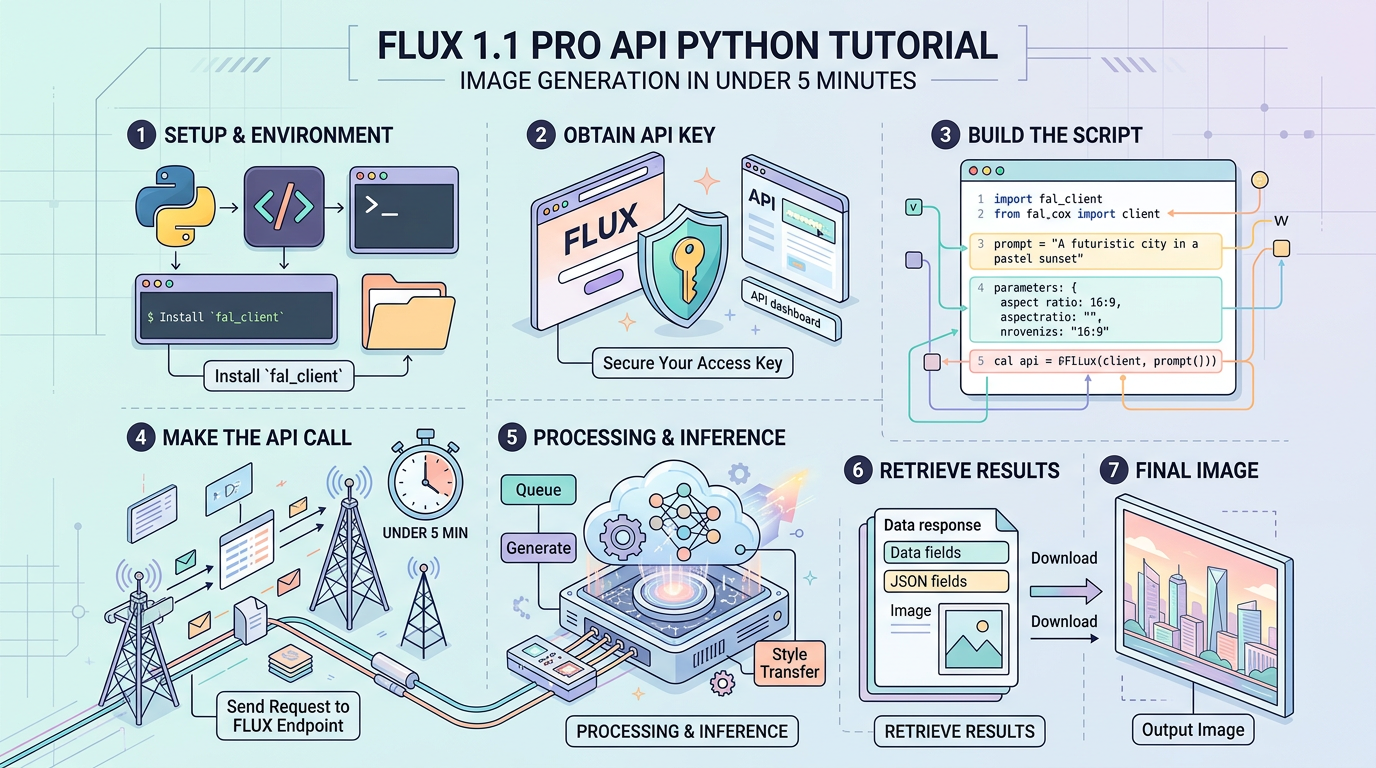
FLUX 1.1 Pro API Python Tutorial: Image Generation in Under 5 Minutes
3 numbers before we start: FLUX 1.1 Pro generates a 1024×1024 image in approximately 8–15 seconds via the BFL API, costs $0.04 per image at standard resolution, and scores 72.6% on the ELO-based quality benchmark published by Black Forest Labs at launch — placing it ahead of DALL-E 3 and Midjourney v6 on prompt adherence.
This tutorial gets you from zero to a working image in under 5 minutes, then builds toward production-grade code with error handling, retries, and async batching. All code blocks run without modification given valid credentials.
Prerequisites
Accounts You Need
| Service | What For | Free Tier |
|---|---|---|
| Black Forest Labs (BFL) | Native FLUX API — cheapest direct route | No. Pay-as-you-go only. |
| Replicate (alternative) | FLUX 1.1 Pro hosted via Replicate | $5 free credit on signup |
| Together AI (alternative) | Batch workloads, sometimes cheaper at scale | $25 free credit on signup |
Recommended path for this tutorial: BFL’s native API at api.us1.bfl.ai. It’s the canonical endpoint, has the lowest per-image cost, and returns results in a consistent polling format.
Python Environment Setup
Requires Python 3.8+. Check your version:
python --versionCreate an isolated environment (avoids dependency conflicts in production):
python -m venv flux_env
source flux_env/bin/activate        # Linux/macOS
flux_env\Scripts\activate           # Windows

# Install only what we need — no bloated SDKs
pip install requests python-dotenv pillow
Why these packages:
requests— HTTP calls to the BFL polling APIpython-dotenv— keeps credentials out of source codepillow— optional, for inspecting/saving the returned image bytes
Authentication and Environment Setup
Get Your BFL API Key
- Go to api.us1.bfl.ai and create an account
- Navigate to API Keys → Create new key
- Copy the key immediately — it won’t be shown again
Store Credentials Safely
Create a .env file in your project root. Add .env to .gitignore before your first commit.
# .env
BFL_API_KEY=your_key_here
# .gitignore
.env
flux_env/
__pycache__/
*.pycVerify Your Key Works
# verify_auth.py
# Run this first — catches auth problems before they waste your debug time

import os
import requests
from dotenv import load_dotenv

load_dotenv()  # Loads BFL_API_KEY from .env into os.environ

API_KEY = os.getenv("BFL_API_KEY")
BASE_URL = "https://api.us1.bfl.ai/v1"

if not API_KEY:
    raise EnvironmentError("BFL_API_KEY not found. Check your .env file.")

# BFL uses a lightweight status endpoint to validate auth
# A 401 here means bad key; a 200 means you're ready
headers = {"x-key": API_KEY, "Content-Type": "application/json"}

# We submit a minimal job to verify the key is accepted
# There's no dedicated /auth/check endpoint on BFL — this is the correct pattern
test_payload = {
    "prompt": "a red circle on white background",
    "width": 256,
    "height": 256,
}

response = requests.post(
    f"{BASE_URL}/flux-pro-1.1",
    headers=headers,
    json=test_payload,
    timeout=10
)

if response.status_code == 200:
    job_id = response.json().get("id")
    print(f"Auth OK. Test job submitted. ID: {job_id}")
elif response.status_code == 401:
    print("Auth FAILED. Check your API key.")
elif response.status_code == 402:
    print("Auth OK but no credits. Add billing at api.us1.bfl.ai.")
else:
    print(f"Unexpected status: {response.status_code}")
    print(response.text)
Core Implementation
Understanding the BFL Request Flow
BFL’s API is asynchronous by design. You do not get an image URL back on the first call. The flow is:
POST /flux-pro-1.1  →  returns { "id": "job_uuid" }
         ↓
GET /get_result?id=job_uuid  →  returns { "status": "Pending" } (repeat)
         ↓
GET /get_result?id=job_uuid  →  returns { "status": "Ready", "result": { "sample": "https://..." } }
The image URL in result.sample is a pre-signed S3 URL valid for 10 minutes. Download it immediately in production.
Block 1: Minimal Working Example
# minimal_flux.py
# Stripped to essentials — no error handling, no retries
# Use this to understand the basic flow, not in production

import os
import time
import requests
from dotenv import load_dotenv

load_dotenv()

API_KEY = os.getenv("BFL_API_KEY")
BASE_URL = "https://api.us1.bfl.ai/v1"
HEADERS = {"x-key": API_KEY, "Content-Type": "application/json"}

# Step 1: Submit the generation job
payload = {
    "prompt": "a photorealistic red fox sitting in a snowy forest, golden hour lighting",
    "width": 1024,
    "height": 1024,
    "prompt_upsampling": False,  # Set True to let the model expand your prompt
    "safety_tolerance": 2,       # 0 = most strict, 6 = least strict
    "output_format": "jpeg",     # "jpeg" or "png"
}

submit_response = requests.post(
    f"{BASE_URL}/flux-pro-1.1",
    headers=HEADERS,
    json=payload,
    timeout=30  # Network timeout, not generation timeout
)

job_id = submit_response.json()["id"]
print(f"Job submitted: {job_id}")

# Step 2: Poll until ready
# BFL jobs typically complete in 8–15 seconds for 1024x1024
while True:
    result_response = requests.get(
        f"{BASE_URL}/get_result",
        headers=HEADERS,
        params={"id": job_id},
        timeout=10
    )
    result_data = result_response.json()
    status = result_data.get("status")

    print(f"Status: {status}")

    if status == "Ready":
        image_url = result_data["result"]["sample"]
        print(f"Image URL: {image_url}")
        break
    elif status in ("Error", "Content Moderated", "Request Moderated"):
        print(f"Job failed with status: {status}")
        break

    time.sleep(2)  # Poll every 2 seconds — don't hammer the API
Block 2: Production-Ready Generator with Error Handling and File Save
# flux_generator.py
# Production-grade. Handles retries, timeouts, content policy errors,
# and saves the image to disk. Suitable for use in a service or script.

import os
import time
import requests
from pathlib import Path
from dotenv import load_dotenv

load_dotenv()

class FluxGenerationError(Exception):
    """Raised when FLUX API returns a non-recoverable error."""
    pass

class FluxContentModerationError(FluxGenerationError):
    """Raised when the prompt or output is blocked by content policy."""
    pass


def generate_image(
    prompt: str,
    output_path: str = "output.jpg",
    width: int = 1024,
    height: int = 1024,
    prompt_upsampling: bool = False,
    safety_tolerance: int = 2,
    output_format: str = "jpeg",
    max_poll_seconds: int = 120,
    poll_interval: float = 2.0,
) -> str:
    """
    Submit a FLUX 1.1 Pro generation job and block until the image is ready.

    Returns the local file path of the saved image.
    Raises FluxGenerationError on API failures.
    Raises FluxContentModerationError on policy violations.
    """
    api_key = os.getenv("BFL_API_KEY")
    if not api_key:
        raise EnvironmentError("BFL_API_KEY not set in environment.")

    base_url = "https://api.us1.bfl.ai/v1"
    headers = {"x-key": api_key, "Content-Type": "application/json"}

    payload = {
        "prompt": prompt,
        "width": width,
        "height": height,
        "prompt_upsampling": prompt_upsampling,
        "safety_tolerance": safety_tolerance,
        "output_format": output_format,
    }

    # --- Submit job ---
    try:
        submit_resp = requests.post(
            f"{base_url}/flux-pro-1.1",
            headers=headers,
            json=payload,
            timeout=30,
        )
    except requests.exceptions.Timeout:
        raise FluxGenerationError("Request timed out during job submission.")
    except requests.exceptions.ConnectionError as e:
        raise FluxGenerationError(f"Connection failed during submission: {e}")

    # Map HTTP errors to clear messages before they become confusing exceptions
    if submit_resp.status_code == 401:
        raise FluxGenerationError("Invalid API key (401). Check BFL_API_KEY.")
    if submit_resp.status_code == 402:
        raise FluxGenerationError("Insufficient credits (402). Add billing at api.us1.bfl.ai.")
    if submit_resp.status_code == 422:
        # Validation error — the payload has a bad value
        raise FluxGenerationError(f"Invalid parameters (422): {submit_resp.text}")
    if submit_resp.status_code != 200:
        raise FluxGenerationError(
            f"Unexpected submit error ({submit_resp.status_code}): {submit_resp.text}"
        )

    job_id = submit_resp.json().get("id")
    if not job_id:
        raise FluxGenerationError("API returned 200 but no job ID found.")

    print(f"[flux] Job submitted: {job_id}")

    # --- Poll for result ---
    deadline = time.time() + max_poll_seconds
    while time.time() < deadline:
        try:
            poll_resp = requests.get(
                f"{base_url}/get_result",
                headers=headers,
                params={"id": job_id},
                timeout=10,
            )
        except requests.exceptions.Timeout:
            # Transient timeout on polling — keep trying until deadline
            print("[flux] Poll timeout (transient), retrying...")
            time.sleep(poll_interval)
            continue

        if poll_resp.status_code != 200:
            raise FluxGenerationError(
                f"Poll request failed ({poll_resp.status_code}): {poll_resp.text}"
            )

        data = poll_resp.json()
        status = data.get("status")
        print(f"[flux] Status: {status}")

        if status == "Ready":
            image_url = data["result"]["sample"]
            # The presigned URL expires in ~10 minutes — download immediately
            return _download_image(image_url, output_path)

        if status == "Content Moderated":
            raise FluxContentModerationError(
                "Output was blocked by content moderation. Revise your prompt."
            )
        if status == "Request Moderated":
            raise FluxContentModerationError(
                "Prompt was blocked before generation. Revise your prompt."
            )
        if status == "Error":
            raise FluxGenerationError(f"Generation failed server-side. Job ID: {job_id}")

        # "Pending" or "Processing" — keep waiting
        time.sleep(poll_interval)

    raise FluxGenerationError(
        f"Job {job_id} did not complete within {max_poll_seconds}s."
    )


def _download_image(url: str, output_path: str) -> str:
    """Download image from presigned URL and save to disk."""
    try:
        img_resp = requests.get(url, timeout=30, stream=True)
        img_resp.raise_for_status()
    except requests.exceptions.RequestException as e:
        raise FluxGenerationError(f"Failed to download image: {e}")

    Path(output_path).parent.mkdir(parents=True, exist_ok=True)

    with open(output_path, "wb") as f:
        for chunk in img_resp.iter_content(chunk_size=8192):
            f.write(chunk)

    size_kb = Path(output_path).stat().st_size / 1024
    print(f"[flux] Saved to {output_path} ({size_kb:.1f} KB)")
    return output_path


# --- Run directly ---
if __name__ == "__main__":
    result = generate_image(
        prompt="a photorealistic red fox sitting in a snowy forest, golden hour lighting",
        output_path="output/fox.jpg",
        width=1024,
        height=1024,
    )
    print(f"Done: {result}")
Block 3: Async Batch Generation for Multiple Images
When you need to generate 10+ images without waiting serially, submit all jobs first, then poll concurrently. This cuts total wall-clock time by roughly (N-1)× compared to sequential calls.
# flux_batch.py
# Submits N jobs concurrently using asyncio + httpx.
# Install: pip install httpx

import os
import asyncio
import time
import httpx
from dotenv import load_dotenv

load_dotenv()

API_KEY = os.getenv("BFL_API_KEY")
BASE_URL = "https://api.us1.bfl.ai/v1"
HEADERS = {"x-key": API_KEY, "Content-Type": "application/json"}

PROMPTS = [
    "a neon-lit Tokyo street at 2am, rain reflections on asphalt",
    "a hand-drawn botanical illustration of a passionflower, ink on parchment",
    "an aerial view of a Scandinavian archipelago at sunset, drone photography",
    "a 1970s NASA control room with engineers monitoring a launch",
]


async def submit_job(client: httpx.AsyncClient, prompt: str) -> str:
    """Submit one generation job and return the job ID."""
    payload = {
        "prompt": prompt,
        "width": 1024,
        "height": 1024,
        "output_format": "jpeg",
        "safety_tolerance": 2,
    }
    resp = await client.post(
        f"{BASE_URL}/flux-pro-1.1",
        headers=HEADERS,
        json=payload,
        timeout=30,
    )
    resp.raise_for_status()
    return resp.json()["id"]


async def poll_until_ready(client: httpx.AsyncClient, job_id: str) -> dict:
    """Poll a job until it reaches a terminal status."""
    for _ in range(60):  # Max 60 polls × 2s = 2 minutes per job
        resp = await client.get(
            f"{BASE_URL}/get_result",
            headers=HEADERS,
            params={"id": job_id},
            timeout=10,
        )
        resp.raise_for_status()
        data = resp.json()

        if data["status"] == "Ready":
            return {"job_id": job_id, "url": data["result"]["sample"], "status": "Ready"}
        if data["status"] in ("Error", "Content Moderated", "Request Moderated"):
            return {"job_id": job_id, "url": None, "status": data["status"]}

        await asyncio.sleep(2)  # Non-blocking sleep — other coroutines run here

    return {"job_id": job_id, "url": None, "status": "Timeout"}


async def generate_batch(prompts: list[str]) -> list[dict]:
    """Submit all prompts simultaneously, then poll all concurrently."""
    async with httpx.AsyncClient() as client:
        # Submit all jobs at once — no serial waiting
        job_ids = await asyncio.gather(*[submit_job(client, p) for p in prompts])
        print(f"[batch] Submitted {len(job_ids)} jobs.")

        # Poll all jobs concurrently
        results = await asyncio.gather(*[poll_until_ready(client, jid) for jid in job_ids])

    return results


if __name__ == "__main__":
    start = time.time()
    results = asyncio.run(generate_batch(PROMPTS))
    elapsed = time.time() - start

    for i, r in enumerate(results):
        status_line = r["url"] if r["url"] else r["status"]
        print(f"  [{i+1}] {status_line}")

    print(f"\n[batch] {len(PROMPTS)} images in {elapsed:.1f}s "
          f"(avg {elapsed/len(PROMPTS):.1f}s each)")
API Parameter Reference
| Parameter | Type | Default | Valid Range / Values | What It Affects |
|---|---|---|---|---|
prompt | string | required | 1–4096 chars | The primary text description the model generates from |
width | integer | 1024 | 256–1440, multiples of 32 | Output image width in pixels |
height | integer | 1024 | 256–1440, multiples of 32 | Output image height in pixels |
prompt_upsampling | boolean | false | true / false | When true, the model rewrites your prompt internally for more detail — useful for short prompts, adds ~2–3s latency |
seed | integer | null (random) | 0–4294967294 | Fixed seed for reproducibility; same seed + same prompt = deterministic output |
safety_tolerance | integer | 2 | 0–6 | Content filtering aggressiveness; 0 blocks most content, 6 is most permissive |
output_format | string | "jpeg" | "jpeg", "png" | File format of the returned image; PNG is ~3× larger but lossless |
Notes on dimensions: BFL supports non-square outputs. Common production aspect ratios:
- Portrait (9:16): 768×1360
- Landscape (16:9): 1360×768
- Square (1:1): 1024×1024
Dimensions must be multiples of 32. Values outside 256–1440 will return a 422 error.
Error Handling Reference
HTTP Status Codes
| Status Code | Meaning | Fix |
|---|---|---|
200 | Job accepted or result ready | None needed |
401 | Unauthorized — bad or missing API key | Check BFL_API_KEY value; regenerate at api.us1.bfl.ai if needed |
402 | Payment required — no credits | Add a payment method at api.us1.bfl.ai |
422 | Unprocessable entity — invalid parameters | Check width/height are multiples of 32 and within range; check safety_tolerance is 0–6 |
429 | Rate limit exceeded | Back off with exponential retry; BFL rate limit details not publicly published as of 2025 |
500 | Server error on BFL’s side | Retry with backoff; transient |
Job-Level Status Values (from /get_result)
| Status String | Meaning | What To Do |
|---|---|---|
Pending | Queued, not yet processing | Keep polling |
Processing | Actively generating | Keep polling |
Ready | Image available at result.sample | Download immediately — URL expires in ~10 minutes |
Error | Server-side generation failure | Log the job ID and retry with a new submission |
Content Moderated | Output violated content policy | Revise your prompt; check safety_tolerance setting |
Request Moderated | Prompt itself was blocked | Prompt contains disallowed content; rewrite it |
Retry Pattern with Exponential Backoff
# retry_example.py
# For 429 and 500 errors, exponential backoff prevents cascading failures.
# This pattern works for the submit step — not needed for polling (use fixed interval).

import time
import requests

def submit_with_retry(url, headers, payload, max_retries=4):
    """
    Submit a FLUX job with exponential backoff on retryable HTTP errors.
    Raises immediately on non-retryable errors (401, 402, 422).
    """
    RETRYABLE_CODES = {429, 500, 502, 503, 504}
    NON_RETRYABLE_CODES = {401, 402, 422}

    for attempt in range(max_retries):
        try:
            resp = requests.post(url, headers=headers, json=payload, timeout=30)
        except requests.exceptions.ConnectionError as e:
            if attempt == max_retries - 1:
                raise
            wait = 2 ** attempt  # 1s, 2s, 4s, 8s
            print(f"Connection error, retrying in {wait}s... ({e})")
            time.sleep(wait)
            continue

        if resp.status_code in NON_RETRYABLE_CODES:
            # These won't get better with retries — fail fast
            raise ValueError(f"Non-retryable error {resp.status_code}: {resp.text}")

        if resp.status_code in RETRYABLE_CODES:
            wait = 2 ** attempt
            print(f"Got {resp.status_code}, retrying in {wait}s...")
            time.sleep(wait)
            continue

        if resp.status_code == 200:
            return resp.json()

        # Unknown error
        resp.raise_for_status()

    raise RuntimeError(f"All {max_retries} retry attempts failed.")
Performance and Cost Reference
Real numbers from the BFL pricing page and published benchmarks as of early 2025:
| Model | Cost Per Image (1024×1024) | Typical Latency (1024px) | Typical Latency (1440px) | Notes |
|---|---|---|---|---|
| FLUX 1.1 Pro | $0.04 | 8–15s | 15–25s | This tutorial’s target |
| FLUX 1.1 Pro Ultra | $0.06 | 20–40s | 30–50s | 4 MP output, slower |
| FLUX 1.0 Pro | $0.05 | 10–20s | 18–30s | Older version, more expensive per image |
| FLUX 1.0 Dev | $0.025 | 10–18s | — | Lower quality, fine-tuning-focused |
| DALL-E 3 (OpenAI) | $0.04–$0.08 | 10–20s | N/A (max 1024px) | Good prompt adherence, no aspect ratio flexibility |
When NOT to use FLUX 1.1 Pro via BFL:
- You need images in under 3 seconds: no hosted text-to-image model achieves this reliably at current infrastructure
- You need NSFW content: use a self-hosted FLUX Dev with ComfyUI — cloud APIs including BFL do not support this
- You’re generating more than ~500 images/day at $0.04 each ($20/day): evaluate Together AI or Replicate bulk pricing, which can offer volume discounts
- You need inpainting or image-to-image: FLUX 1.1 Pro (standard endpoint) is text-to-image only; use FLUX Pro Fill or FLUX Redux for those workflows
Rough cost math for common scenarios:
| Use Case | Images/Month | Monthly Cost |
|---|---|---|
| Side project / prototyping | 100 | $4.00 |
| Small SaaS product | 2,500 | $100.00 |
| Mid-scale production app | 25,000 | $1,000.00 |
| High-volume pipeline | 100,000 | $4,000.00 |
At 100,000 images/month, contact BFL directly — volume pricing exists but is not publicly listed.
Limitations to Know Before You Build
- No streaming: There is no webhook or WebSocket option. You must poll
/get_result. Build polling into your architecture, not around it. - URL expiry: The
result.samplepresigned URL expires in approximately 10 minutes. If you store the URL and not the image bytes, you will get 403 errors later. Always download and store the binary. - No partial cancellation: Once a job is submitted, you are billed even if you stop polling. There is no
/cancel_jobendpoint on BFL’s v1 API. - Seed reproducibility is not absolute: Same seed + same prompt will produce near-identical but not byte-identical results if BFL updates model weights. Do not build seed-based reproducibility into a user-facing contract.
- Rate limits are undisclosed: BFL does not publish rate limit thresholds publicly. In practice, stay below 10 concurrent submissions from a single key until you’ve confirmed limits with their team.
Conclusion
You now have four working code blocks covering authentication verification, single-image generation, production-grade error handling, and async batch generation against the BFL FLUX 1.1 Pro API. Copy flux_generator.py into your project, set BFL_API_KEY in your environment, and you’re generating production images at $0.04 each with 8–15 second latency. When your volume exceeds 25,000 images/month, re-evaluate pricing across BFL, Together AI, and Replicate — the gap narrows fast at scale.
Note: If you’re integrating multiple AI models into one pipeline, AtlasCloud provides unified API access to 300+ models including Kling, Flux, Seedance, Claude, and GPT — one API key, no per-provider setup. New users get a 25% credit bonus on first top-up (up to $100).
Try this API on AtlasCloud
AtlasCloudFrequently Asked Questions
How much does FLUX 1.1 Pro API cost per image and how does pricing compare across providers?
FLUX 1.1 Pro costs $0.04 per image at standard resolution (1024×1024) when accessed directly through the Black Forest Labs (BFL) API with no free tier — strictly pay-as-you-go. Alternative providers offer different entry points: Replicate gives $5 free credit on signup, and Together AI provides $25 free credit, which translates to roughly 625 free images at equivalent pricing. For high-volume batc
What is the image generation latency for FLUX 1.1 Pro and is it fast enough for real-time applications?
FLUX 1.1 Pro generates a 1024×1024 image in approximately 8–15 seconds via the BFL API. This latency range makes it unsuitable for synchronous real-time UX (e.g., instant UI feedback on keystroke), but acceptable for async workflows such as background job queues, webhook-triggered pipelines, or batch processing. For production use, the recommended pattern is async batching — fire multiple requests
How does FLUX 1.1 Pro benchmark quality compare to DALL-E 3 and Midjourney v6?
FLUX 1.1 Pro scores 72.6% on the ELO-based quality benchmark published by Black Forest Labs at launch, placing it ahead of both DALL-E 3 and Midjourney v6 specifically on prompt adherence — meaning it more accurately renders what the text prompt describes. The ELO methodology uses pairwise human preference comparisons, making it a relative ranking rather than an absolute quality score. Developers
What Python dependencies and credentials do I need to call the FLUX 1.1 Pro API in under 5 minutes?
To get a working FLUX 1.1 Pro image generation call running quickly, you need credentials from at least one of three providers: a Black Forest Labs API key (no free tier, pay-as-you-go at $0.04/image), a Replicate account (includes $5 free credit on signup), or a Together AI account ($25 free credit on signup). The BFL native route is the cheapest direct path at scale. On the Python side, the core
Tags
Related Articles
Build an AI Image Generation App with Python & AtlasCloud
Learn how to build an AI image generation app using Python and AtlasCloud API. Step-by-step guide with code examples for developers of all levels.
How to Use Flux Kontext API in Python
A comprehensive guide to How to Use Flux Kontext API in Python
Streaming LLM Responses with Python: Complete API Guide
Learn how to stream LLM responses with Python using top AI APIs. Step-by-step 2026 guide with code examples, tips, and best practices for developers.